MoCap6
Six-camera markerless motion capture, built for undergraduates. MoCap6 records synchronized video from six cameras, calibrates the rig, finds the body in every frame, reconstructs it in 3D and fits an OpenSim skeleton, so students get joint angles from real movement without markers, suits or a five-figure commercial system. Designed and written by Dr. Logan Moore for the Human Movement & Performance Laboratory at Texas Wesleyan University.
From video to joint angles
MoCap6 wraps open research tools (Pose2Sim, OpenSim, OpenCV) in a desktop app that a student can run start to finish. Every step checks its own work and explains, in plain language, what a setting does and when a result should not be trusted. Click any screenshot to enlarge it.
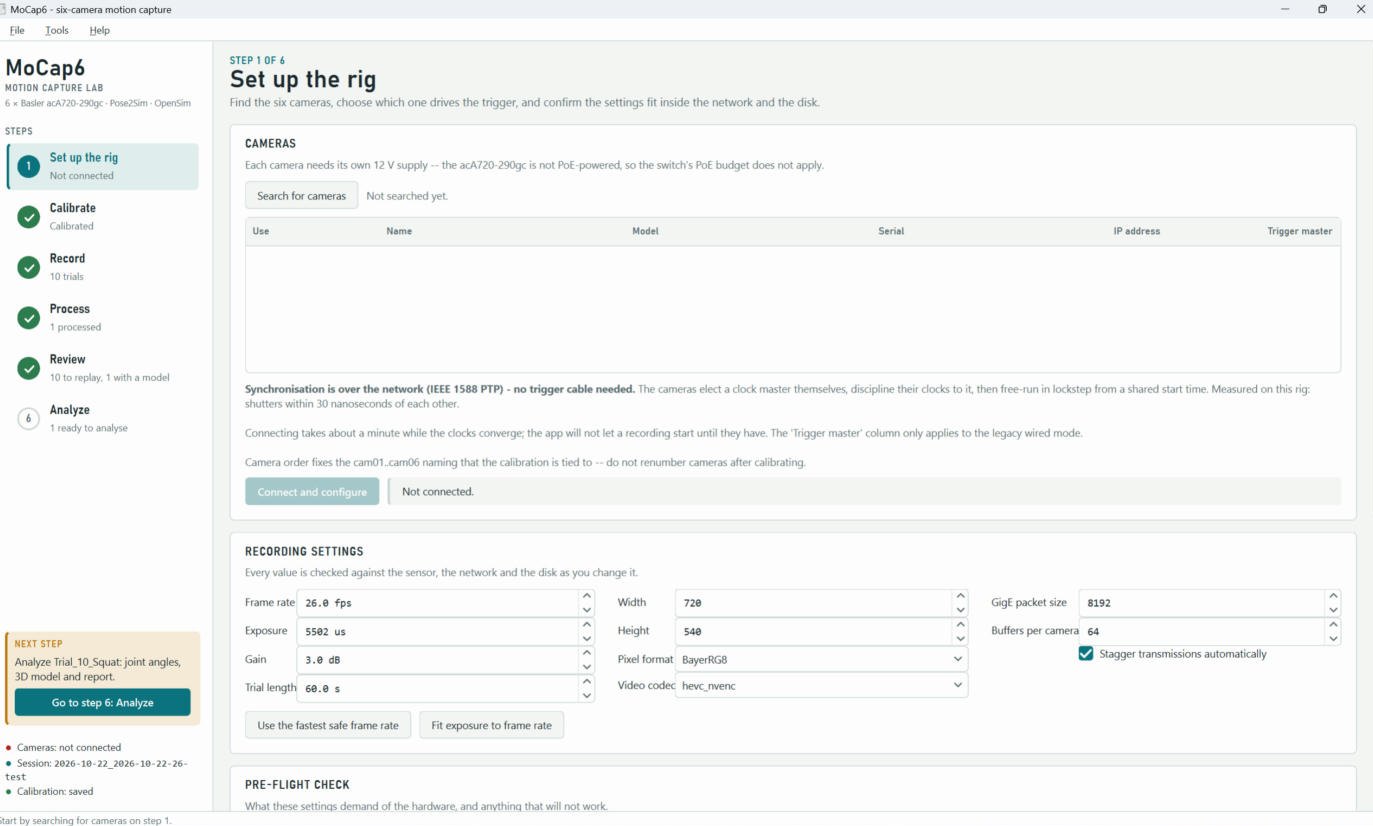
Set up the rig
Find the six cameras, then choose frame rate, exposure and image size. The cameras synchronize themselves over the network (IEEE 1588 PTP): they elect a clock master and fire together from a shared start time.
- The app will not start a recording until every clock has converged
- Camera order is locked once calibrated, so lens models never get swapped
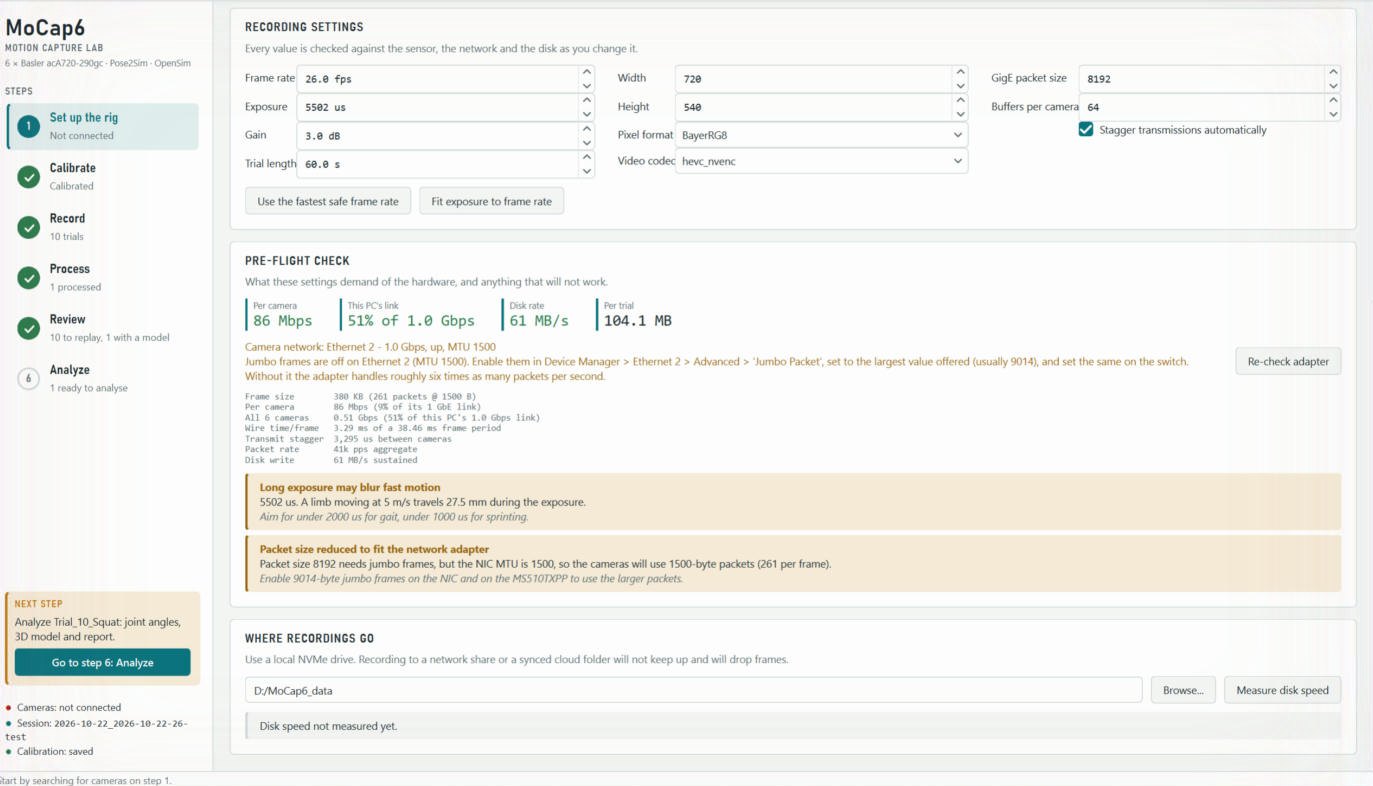
Refuses what the hardware can't deliver
Network cameras drop frames silently when asked for too much. Before every recording MoCap6 budgets the bandwidth of each camera link, the shared link to the PC, the packet rate and the disk, and names the limit you hit.
- Measures the real network adapter instead of assuming it
- Warns about motion blur in millimetres at a given limb speed
- Try the same check in the Rig Planner
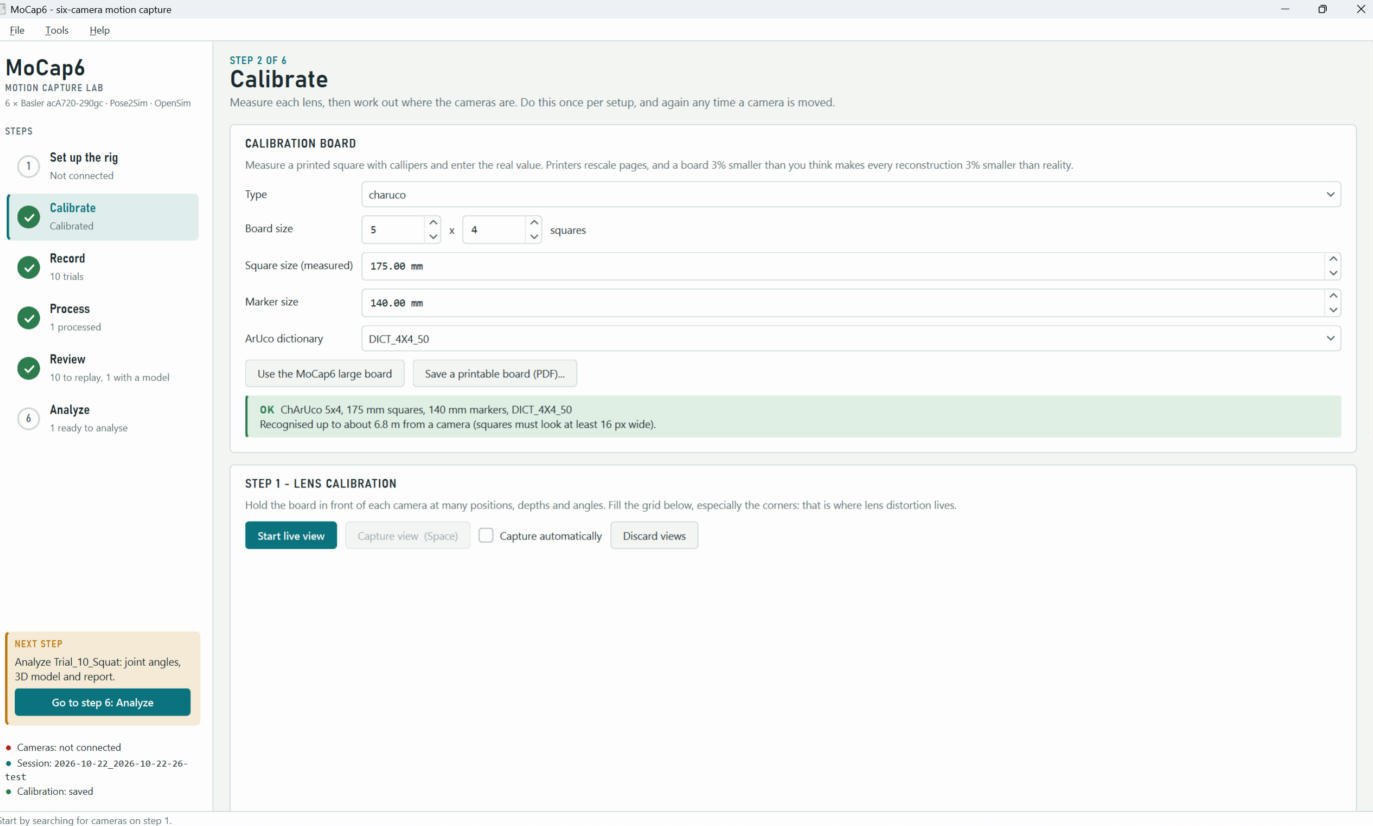
Calibrate
Measure each lens, then work out where every camera stands by walking a printed ChArUco board through the capture volume. The app prints the board, tells each camera's view why it can or cannot see it, and refines all six positions together with bundle adjustment.
- In synthetic tests it recovers every camera's position to within 1.4 mm and 0.025°
- Shows how far away the board can be recognised before you start
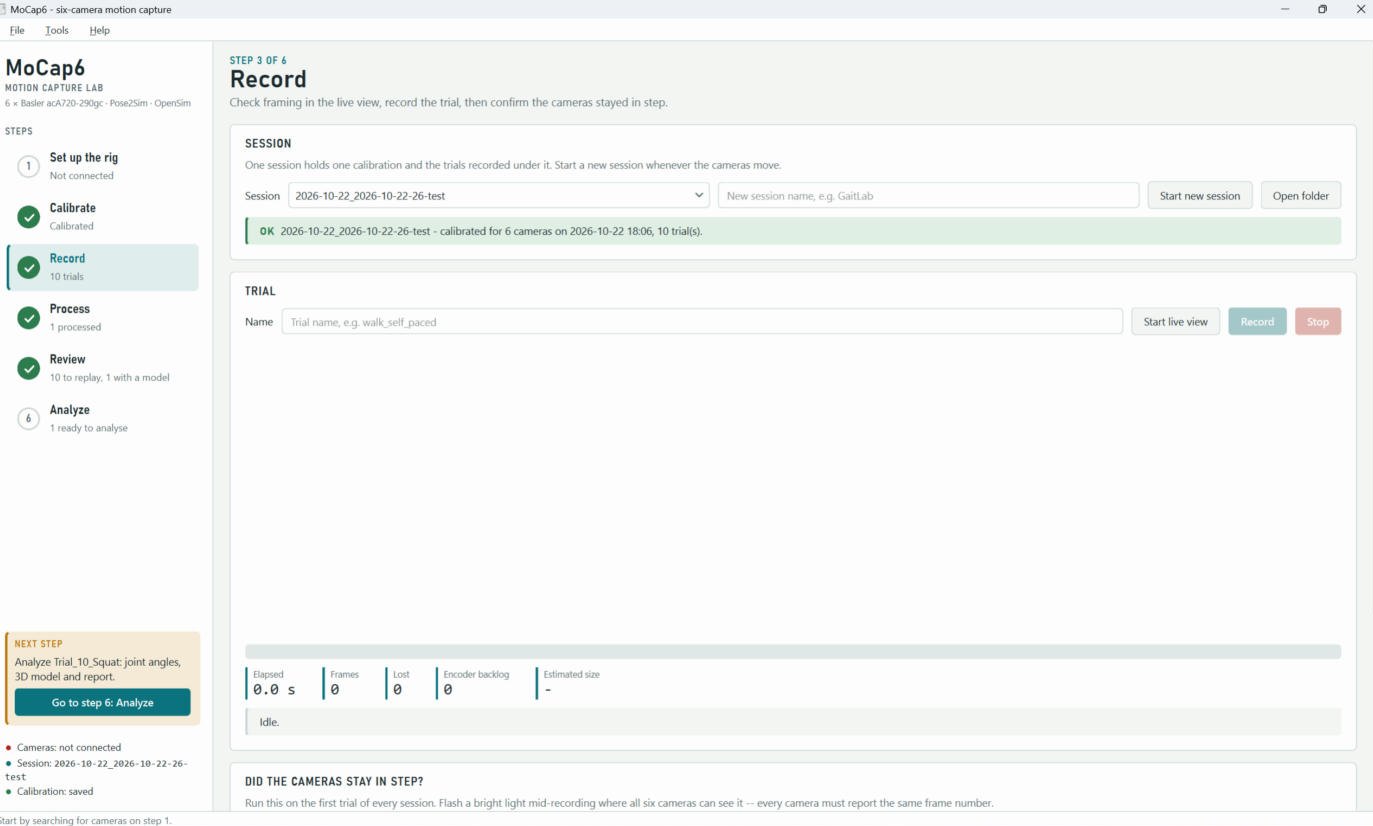
Record
Sessions hold one calibration and its trials, saved in the folder layout Pose2Sim expects. After each trial the app checks that all six cameras stayed in step, and a flash test confirms every camera saw the same moment on the same frame.
- Frame counts, timestamps and transport losses are logged per camera
- Video is hardware-encoded on the GPU, so a trial takes megabytes, not gigabytes
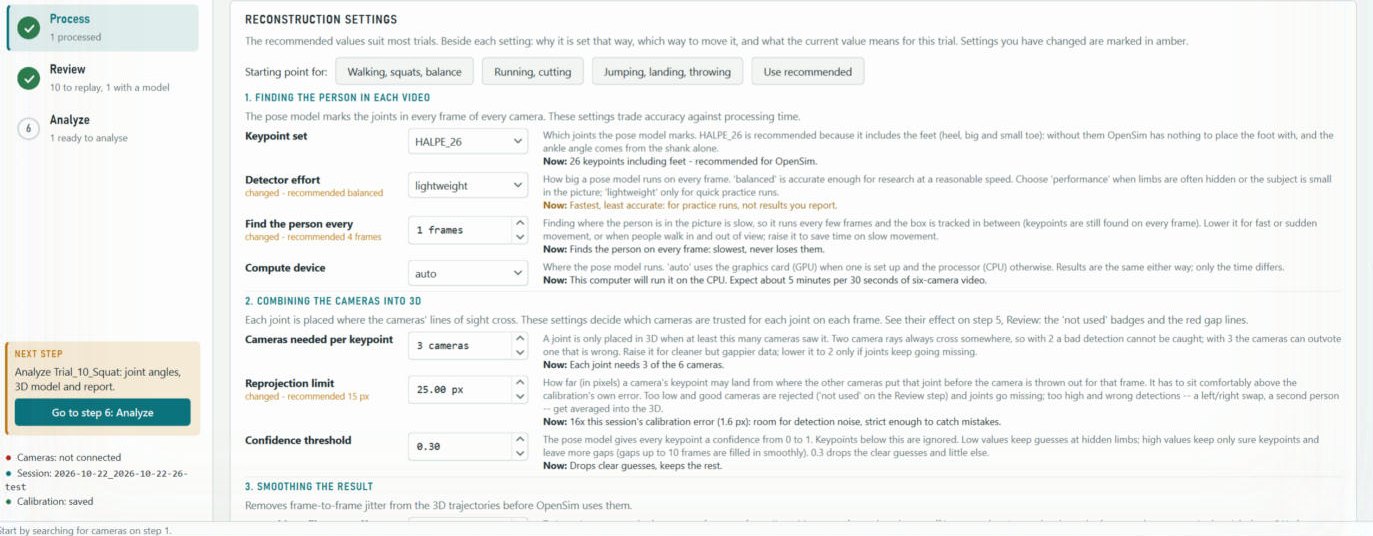
Process, with every setting explained
Pose estimation, triangulation, filtering and OpenSim inverse kinematics run in one place. Beside each setting is why it is set that way, which way to move it, and a live "Now:" line on what the current value means for this trial.
- Presets for walking and squats, running and cutting, or jumping and landing
- Every run saves software versions, settings and calibration error, ready for a methods section
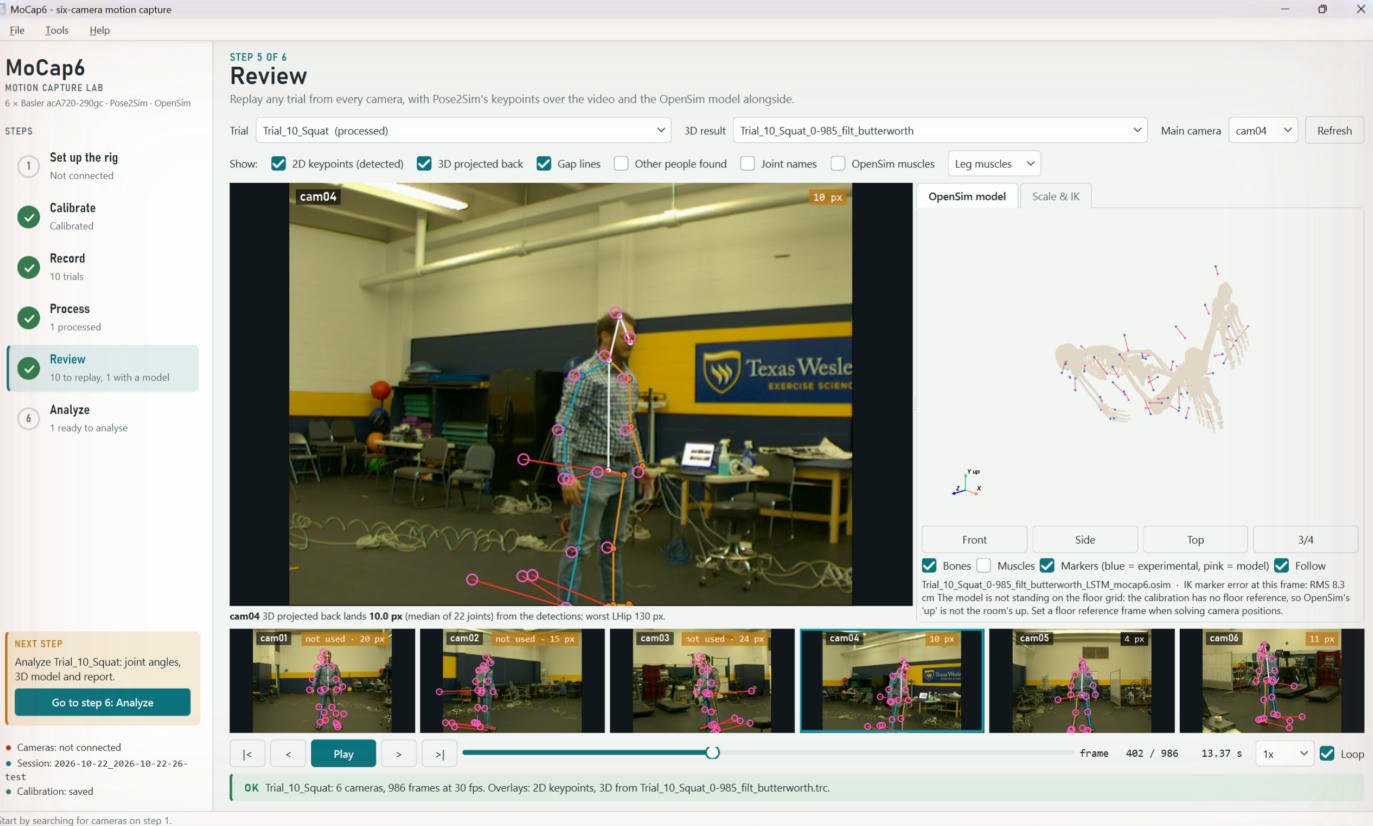
Review
Replay any trial from all six cameras with the detected keypoints drawn over the video, the 3D result projected back into each view, and red lines showing the gap between them. The scaled OpenSim model plays alongside.
- Each camera shows its error, and cameras the software rejected are marked "not used"
- Re-run OpenSim scaling and inverse kinematics with your own settings without leaving the app
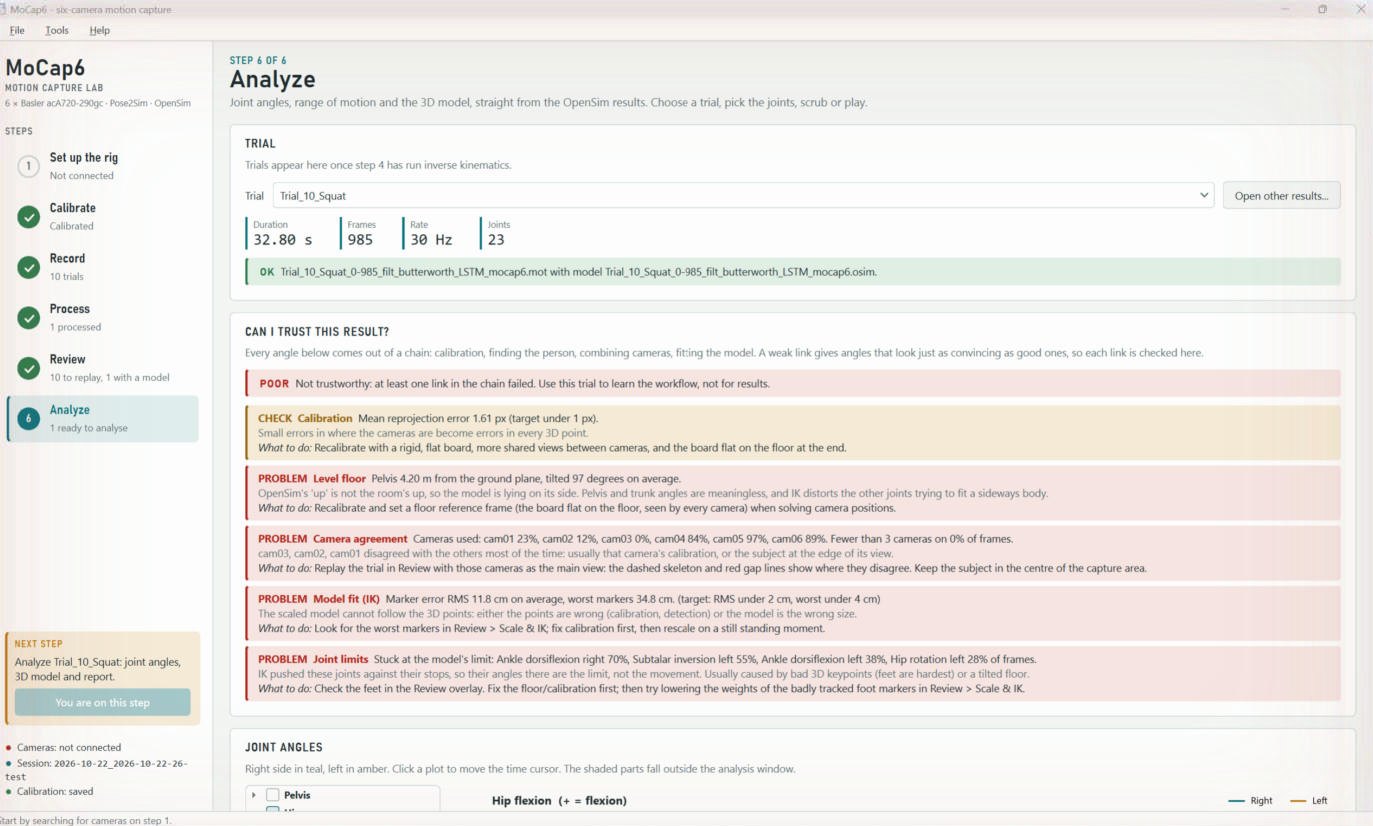
Can I trust this result?
Bad motion capture looks exactly as convincing as good motion capture. Before showing any joint angle, MoCap6 checks each link of the chain (calibration, level floor, camera agreement, model fit and joint limits) and gives a verdict with what to do next.
- Here it correctly rejects an early test trial, recorded before the floor reference was set
- The verdict is printed on page 1 of the PDF report
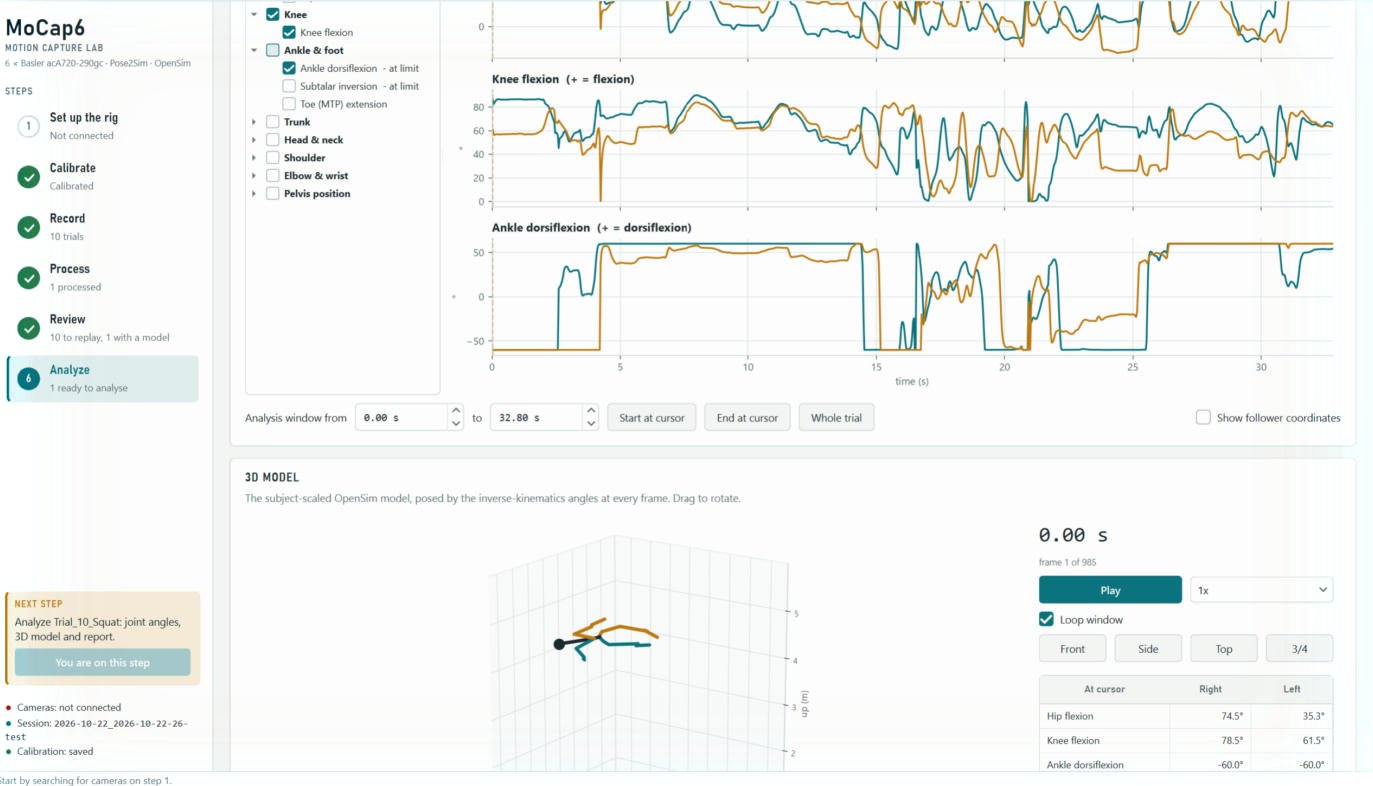
Joint angles, repetitions and reports
Joint angles with right and left overlaid, range of motion over a chosen window, the scaled model posed in 3D, and repetitions (squats, strides or jumps) time-normalized to 0–100% with mean ± SD.
- Joints pinned at a model limit are flagged "at limit"
- CSV and PDF export for lab reports
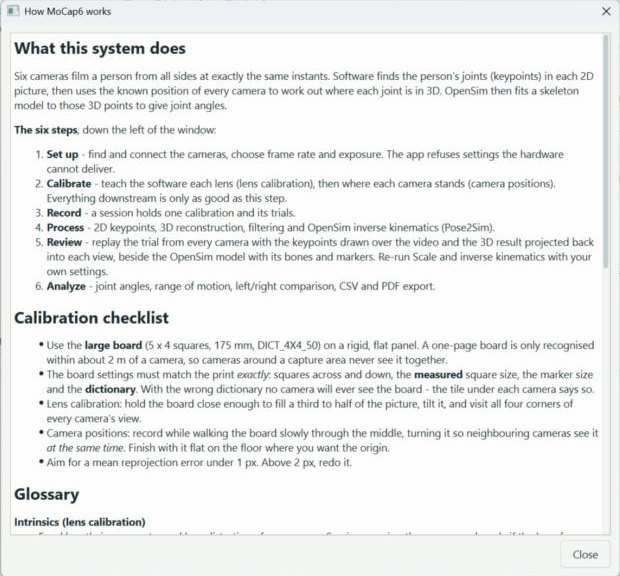
Help where students need it
Press F1 anywhere for how the system works, a calibration checklist and a glossary of motion capture terms. The sidebar always shows what is done and what to do next.
Where it stands
Development status · expand
- Verified on the six-camera rig: camera discovery and configuration, network synchronization (shutters within 30 ns), and full six-camera recording to disk at 60 fps with zero lost frames.
- Working end to end on lab trials: pose estimation, 3D reconstruction, OpenSim scaling and inverse kinematics, review and analysis.
- In progress: calibration with a new rigid board and a floor reference, GPU pose estimation for class-sized throughput, and validation against reference measurements. Target for classroom use in EXS 3100 Biomechanics: Spring 2027.
- Next: force-plate integration for inverse dynamics (the C3D files already reserve the channels), batch processing, and side-by-side trial comparison.
Technical details · expand
- Hardware: six Basler acA720-290gc global-shutter GigE cameras (720 × 540, up to 291 fps), a NETGEAR MS510TXPP switch, and a capture laptop with an RTX-class GPU for encoding and pose estimation.
- Synchronization: IEEE 1588 PTP with synchronous free run; transmissions staggered so six cameras' bursts interleave rather than collide.
- Software: Python 3.12, PySide6, pypylon, OpenCV (ChArUco), Pose2Sim, OpenSim 4.6, ezc3d, PyVista.
- Outputs: TRC and C3D marker files, OpenSim models and motion files, CSV and PDF reports.
- Testing: 209 automated checks, including synthetic six-camera calibration against known ground truth.
Motion capture for your program
Interested in MoCap6 for your lab, or in a collaboration on movement, injury risk or healthy aging? Let's talk.